Artificial intelligence has moved far beyond simple question-and-answer tools. Today, people expect AI to understand context, follow real-world events, and communicate in a way that feels natural. This is exactly where Grok AI steps in. If you’re searching for how to use Grok AI or trying to understand what makes Grok AI different from other chatbots, this in-depth guide will walk you through everything—slowly, clearly, and in a human way.
Instead of short bullet points, we’ll explore each topic in detail, so you truly understand how Grok works and how to use it effectively.
What Is Grok?
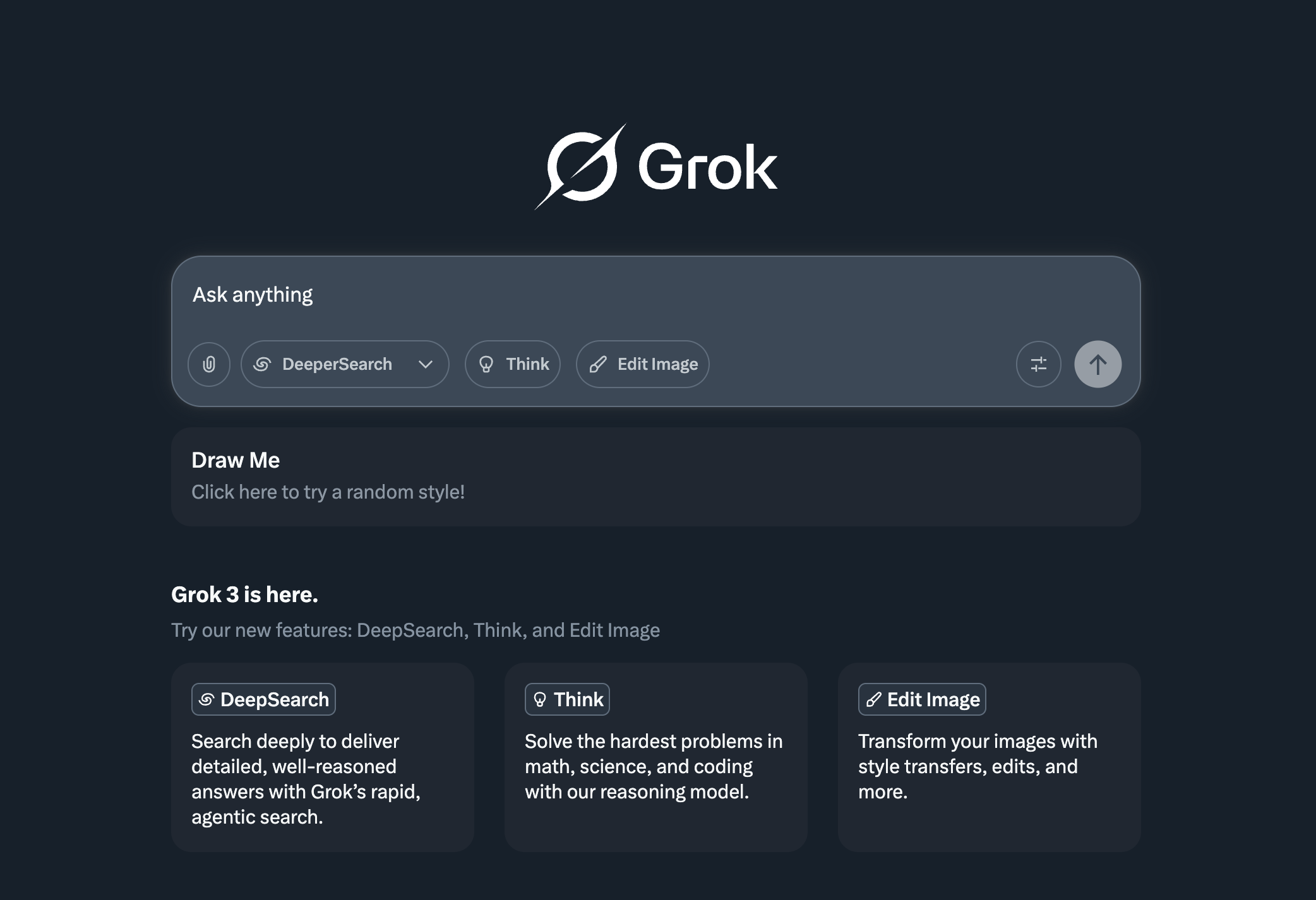
Grok is an artificial intelligence chatbot developed by xAI, a company founded to build AI systems that better understand the real world. Grok is designed to answer questions, analyze information, and hold conversations, but what makes it truly unique is how it does this.
Unlike traditional AI chatbots that rely mainly on static training data, Grok is built with real-time awareness. It is deeply connected to the X platform (formerly Twitter), which allows it to understand ongoing discussions, trending topics, breaking news, and public sentiment as events unfold. This gives Grok a sense of “living context” that many other AI tools simply don’t have.
The word “Grok” itself means to understand something deeply and intuitively. That idea defines Grok AI’s personality. It doesn’t just aim to give correct answers; it aims to understand what you’re really asking and respond in a way that feels natural, insightful, and sometimes even humorous.
Grok AI’s Features Explained in Detail
When people ask how to use Grok AI effectively, the real answer begins with understanding its features at a deeper level. Grok is not just a chatbot—it’s a conversational AI built for the modern internet.
One of Grok’s strongest features is its ability to work with real-time information. Because it can analyze live content from X, it can respond to current events, trending debates, and viral topics almost instantly. This makes Grok extremely useful for people who follow news, markets, technology trends, or social media discussions.
Another defining feature of Grok AI is its conversational tone. Many AI tools sound formal, neutral, or robotic. Grok, on the other hand, is intentionally designed to sound more human. It understands sarcasm, informal language, and internet culture. This makes interactions feel less like querying a machine and more like chatting with a knowledgeable assistant who understands context.
Grok also excels at maintaining conversation flow. If you ask follow-up questions, it remembers what you were talking about. You don’t need to restate the entire problem every time. This makes Grok especially useful for long discussions, brainstorming sessions, and exploratory research.
From a technical perspective, Grok is also developer-friendly. Through its API, businesses and developers can integrate Grok’s intelligence into applications, tools, and workflows. This opens the door to custom chatbots, real-time analytics tools, and AI-powered assistants that reflect your brand’s voice.
Grok vs. ChatGPT: A Real-World Comparison
A common question people ask when learning how to use Grok AI is how it compares to ChatGPT, created by OpenAI. While both are powerful AI tools, they are built with different goals in mind.
ChatGPT is known for its structured responses, strong reasoning, and versatility. It performs exceptionally well in tasks like writing essays, generating code, explaining academic topics, and producing well-formatted outputs. It’s an excellent productivity and learning tool.
Grok AI, on the other hand, shines in areas where real-time context matters. Because it can analyze live discussions on X, it’s better at understanding what people are talking about right now. It’s also more opinion-aware and conversational, which makes it feel more engaging in casual or exploratory conversations.
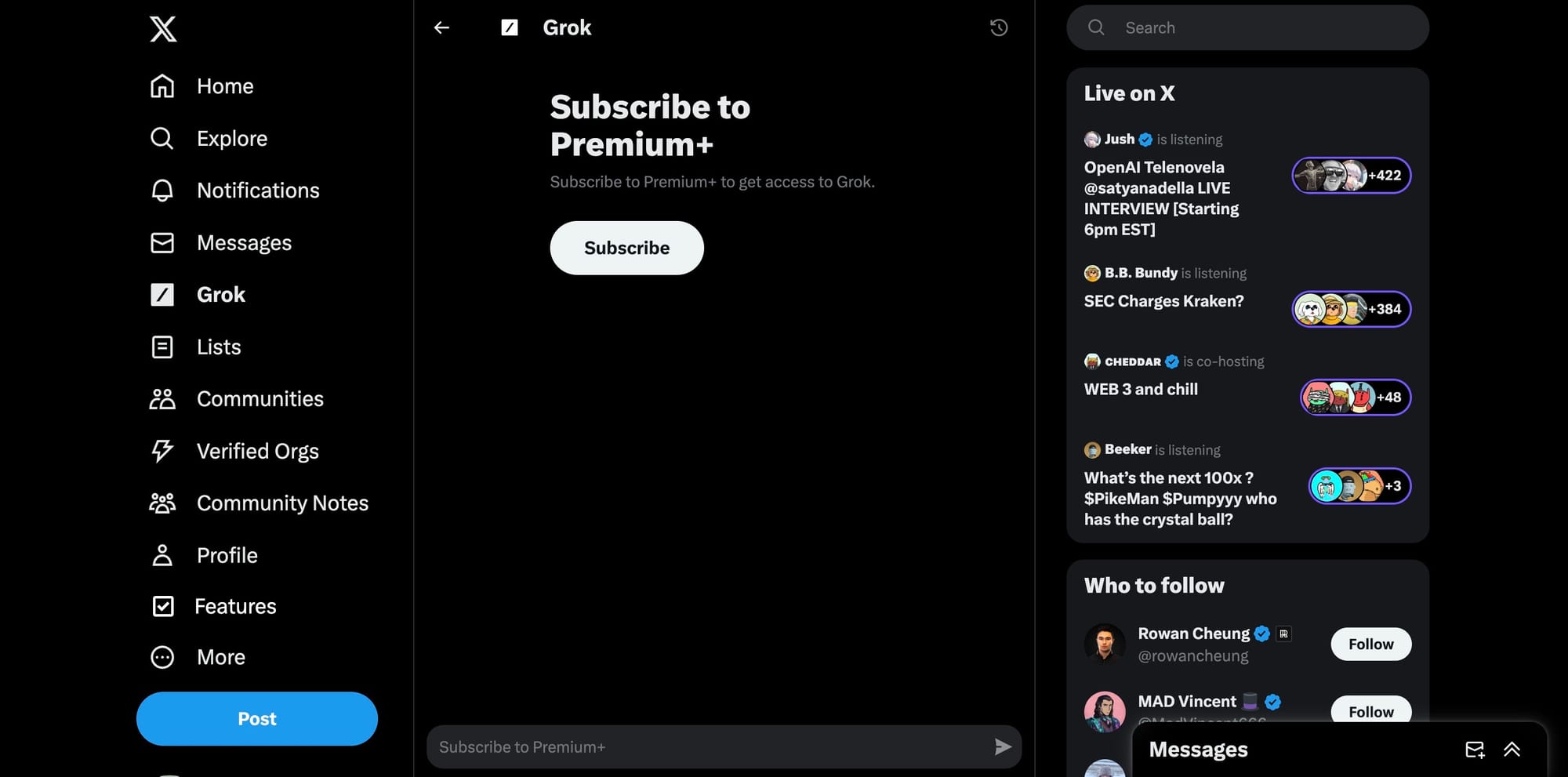
However, Grok does have limitations. Access is currently tied to X Premium, which means it’s not freely available to everyone. It may also feel less formal than ChatGPT, which can be a drawback for highly professional or academic tasks.
In practice, many users don’t choose between Grok and ChatGPT—they use both. ChatGPT handles structured work, while Grok handles real-time insights and conversational analysis.

Understanding Grok’s Fun Mode
One of the most interesting aspects of learning how to use Grok AI is discovering its Fun Mode. This feature is intentionally designed to make conversations more playful, creative, and engaging.
When Fun Mode is active, Grok allows itself to be more expressive. It can use humor, light sarcasm, and informal language that mirrors how people actually talk online. This doesn’t mean Grok becomes unreliable—it simply becomes more creative in how it responds.
Fun Mode is particularly useful for content creators, social media managers, and marketers. If you’re brainstorming post ideas, writing captions, or exploring creative angles, Fun Mode can help spark ideas that feel fresh and human. It’s also great for casual conversations when you don’t want overly technical or stiff replies.
How to Get Started with Grok AI
If you’re new and wondering how to use Grok AI from scratch, the setup process is simple but specific. Grok is currently available through the X platform, and access requires an active X Premium subscription.
Once you subscribe to X Premium, you can log into your account on desktop or mobile. Inside the navigation menu, you’ll find the Grok option. Clicking on it opens the chat interface, where you can begin interacting with the AI immediately.
From there, you can start asking Grok questions just like you would with any chatbot. The difference is that Grok understands current events, trending discussions, and social context. You can ask it to explain why something is trending, summarize public reactions, or analyze conversations happening in real time.
How to Use Grok AI Effectively in Real Life
Knowing how to use Grok AI goes beyond simply typing questions. The quality of your results depends heavily on how you interact with it.
Grok performs best when you provide context. Instead of asking vague questions, explain what you want and why. For example, asking Grok to analyze a trending topic works better if you specify whether you want a neutral summary, public sentiment analysis, or a critical perspective.
Follow-up questions are also key. Grok is designed to handle multi-step conversations, so don’t hesitate to dig deeper. Ask why something matters, what opposing views exist, or how an issue might evolve.
You can also guide Grok’s tone. If you want a professional explanation, ask for it. If you want something simple or humorous, say so. Grok adapts surprisingly well to tone instructions.
How to Access Grok’s API
For developers, startups, and businesses, Grok’s API unlocks a powerful set of possibilities. Through the API, you can connect Grok’s intelligence to your own applications and systems.
The process typically involves applying for access through xAI, receiving authentication credentials, and then using standard API requests to send prompts and receive responses. Once integrated, Grok can power chatbots, analytics tools, or internal assistants that understand real-time information.
This is especially valuable for companies working in media, finance, marketing, or social analytics—industries where understanding live conversations gives a competitive edge.
Create Your Custom AI Chatbot Today
With Grok’s API, creating a custom AI chatbot becomes far more than a technical experiment. You can design a chatbot that understands live trends, speaks in your brand’s voice, and responds in a natural, human-like way.
Custom Grok-powered chatbots can be used for customer support, content moderation, social media engagement, internal research, or even educational tools. Because Grok adapts to tone and context, you can fine-tune its behavior to match your goals—whether that’s professionalism, creativity, or approachability.

Frequently Asked Questions About Grok AI
Many users wonder whether Grok AI is free. Currently, it is not. Access requires an active X Premium subscription. Another common question is whether Grok can replace ChatGPT. In reality, Grok complements ChatGPT rather than replacing it, especially when real-time awareness is important.
People also ask if Grok is good for content creation. The answer is yes—particularly for social media, trend analysis, and conversational writing. Grok’s access to live discussions gives it an edge in these areas.
Finally, users often ask if Grok AI is safe to use. Grok follows moderation and safety guidelines, but its conversational tone may feel more open compared to traditional AI tools. This is part of its design philosophy.
Final Thoughts: Is Grok AI Worth Using?
If you want an AI tool that understands what’s happening right now, speaks naturally, and feels genuinely conversational, Grok AI is absolutely worth exploring. Learning how to use Grok AI effectively can give you insights that static AI tools simply can’t provide.
As xAI continues to improve Grok, its role in real-time analysis and human-centered AI conversations will only grow. Whether you’re a casual user, content creator, or developer, Grok AI offers a refreshing and powerful way to interact with information in the modern world.